StartUpPage - Discord Plugin
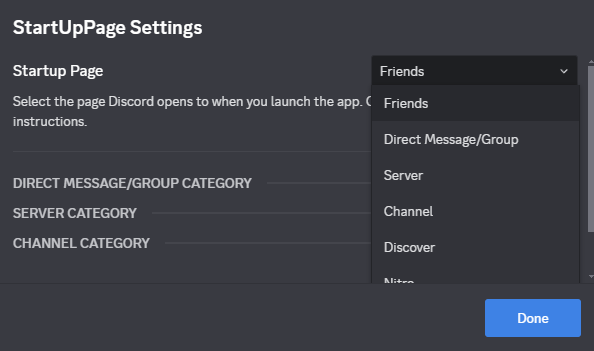
StartUpPage
StartUpPage lets you choose which page Discord opens to on startup.How to use StartUpPage
- Select your preferred startup page from the "Startup Page" dropdown to customize where Discord opens on launch.
- For "Direct Message/Group," enter the Channel ID in the "Direct Message/Group Category" section.
- For "Server," choose a server from the dropdown in the "Server Category" section.
- For "Channel," select a server and enter the Channel ID in the "Channel Category" section.
- Save changes and restart Discord to apply your startup page.
Download: https://betterdiscord.app/plugin/StartUpPage
Source Code: https://github.com/DevEvil99/StartUpPage-BetterDiscord-Plugin