Introducing Projects, Smarter Memory for Free Users, and a Fresh New Nexus AI Experience

We’re excited to introduce one of the biggest updates to Nexus AI yet — a major step forward in how you organize your work, personalize your experience, and interact with Nexus. This update brings Projects, expanded Memory access for free users, and a redesigned interface focused on clarity, consistency, and ease of use.
Let’s dive into what’s new.
🚀 Projects: Dedicated Workspaces for Focused Conversations
Meet Projects, a powerful new way to organize your chats and guide Nexus more precisely.
Projects are dedicated workspaces that let you group related conversations under a single context. Whether you’re working on development, studying, writing, or managing a long-term idea, Projects help Nexus stay focused on what matters.
With Projects, you can:
-
Create multiple dedicated workspaces
-
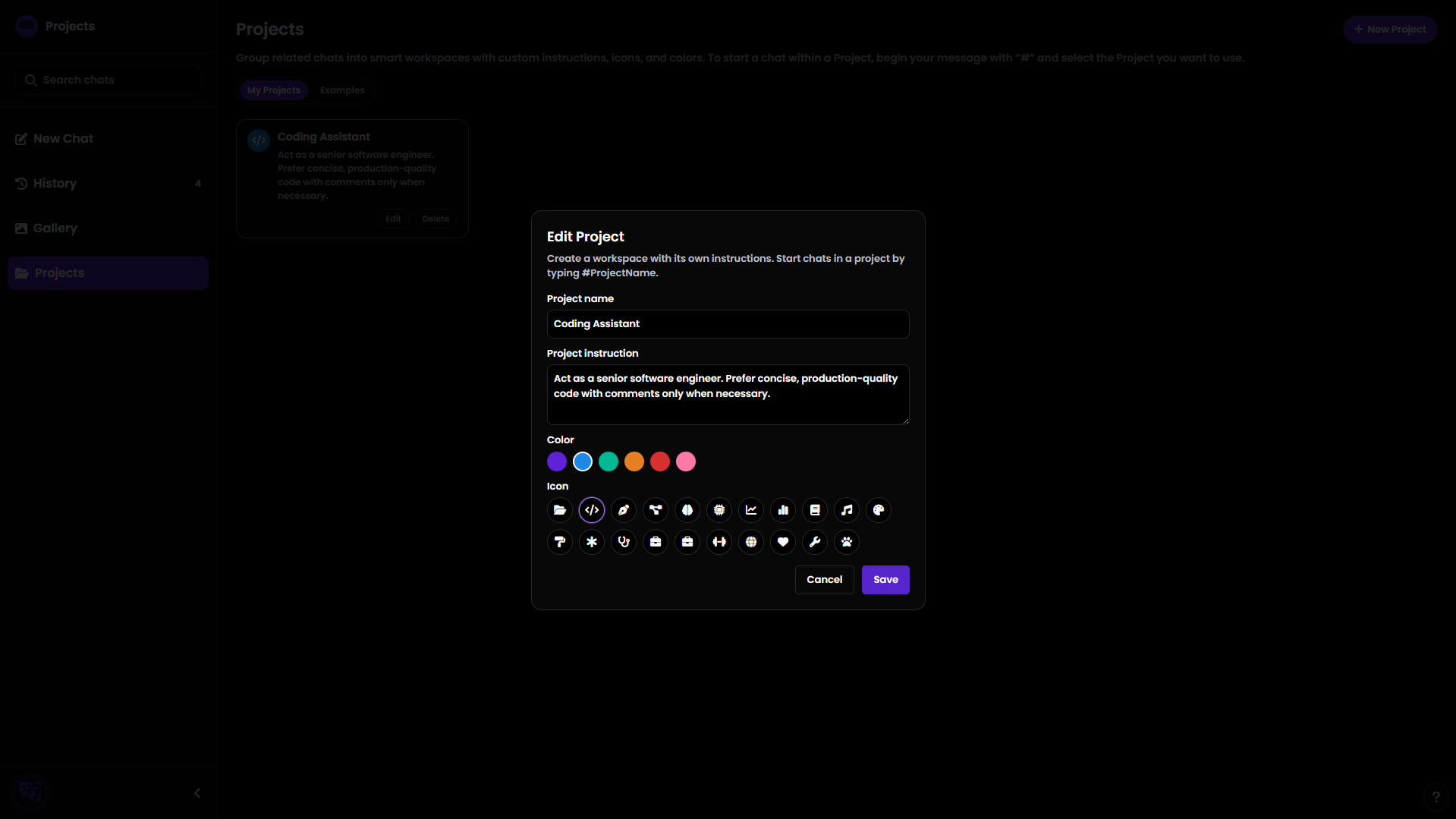
Set a title, color, and icon for each project
-
Define custom instructions so Nexus knows exactly how to respond within that project
-
Start and continue chats that automatically follow the project’s instructions
Starting a Chat in a Project
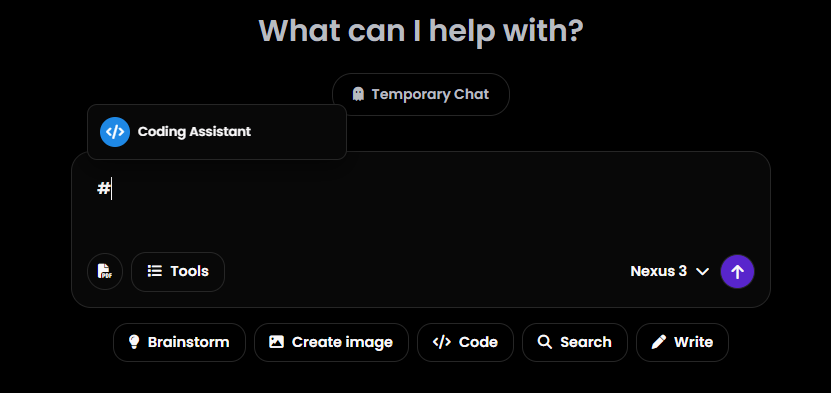
Starting a project-based chat is fast and intuitive:
-
Simply type # in the chat input
-
If you have existing projects, a pop-up will appear
-
Select your desired project and start chatting instantly
Managing Projects
We’ve added a brand-new Projects tab, where you can:
-
View all your projects
-
Create new ones
-
Edit titles, icons, colors, and instructions
The Projects tab can be accessed:
-
From the sidebar on the desktop
-
From the profile dropdown menu on mobile
Projects give you structure, clarity, and control — all without slowing you down.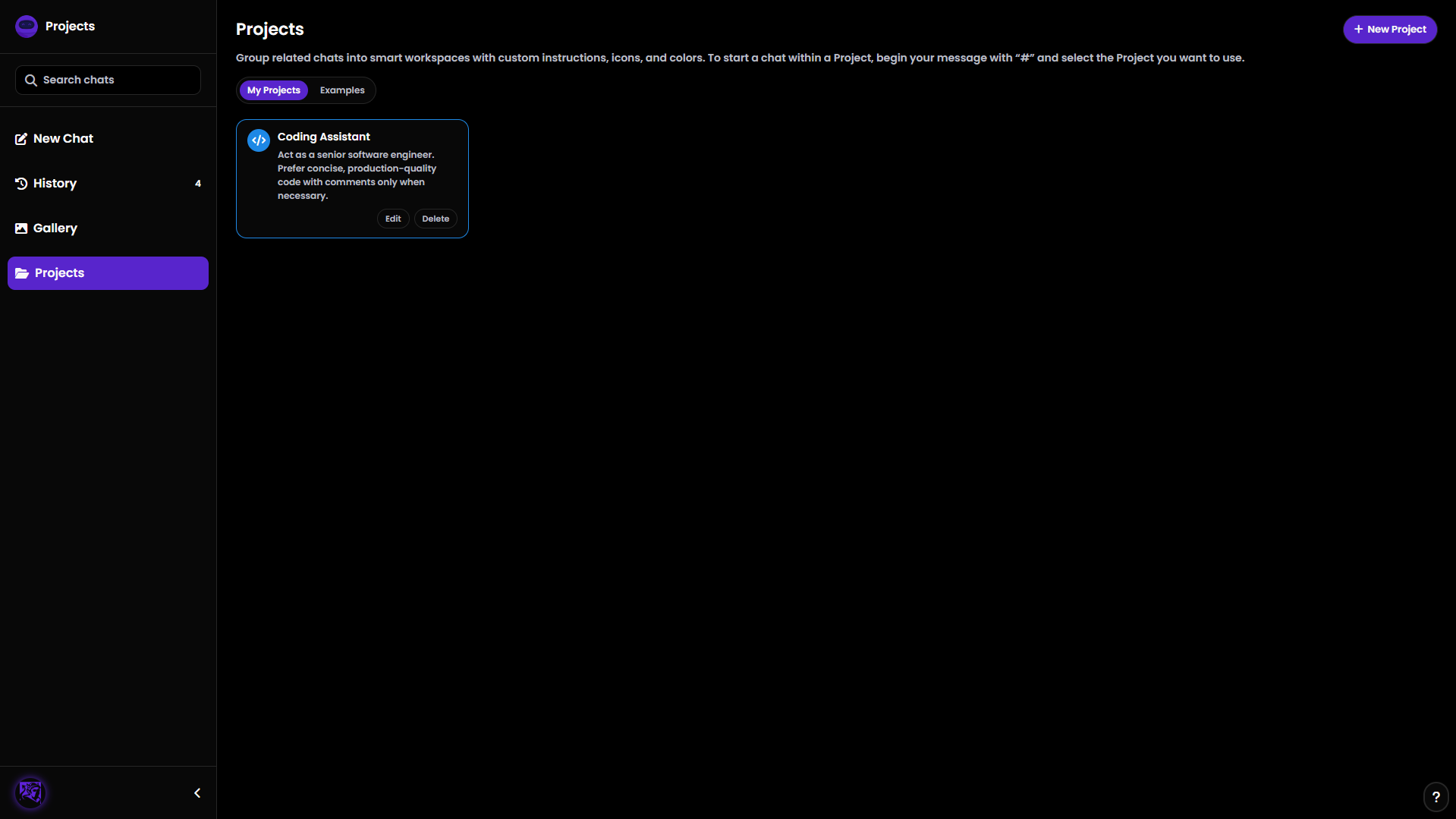
🧠 Memory Is Now Available for Free Users
We believe personalization should be accessible to everyone.
That’s why free users now have access to Nexus Memory, just like Nexus+ users.
With Memory, Nexus can remember useful information about you to personalize responses and improve long-term interactions. Free users can now save up to 3 memories, while Nexus+ users continue to enjoy higher limits.
This means better continuity, smarter replies, and a more personal Nexus — even on the free plan.
🎨 A Redesigned Interface for a Better Experience
This update also includes one of the largest design improvements Nexus has ever had.
A Smarter, Centralized Settings Page
We’ve streamlined the interface by moving scattered options into a single, dedicated Settings page.
What changed:
-
Removed Clear All Chats and Theme Toggle from the sidebar
-
Removed Customize Nexus and Manage Memories from the profile dropdown
-
Moved everything into Settings, making it easier to find and manage
Access Settings:
-
From the profile dropdown menu
-
Or instantly using Ctrl + .
Now all customization, preferences, and controls live in one consistent place.
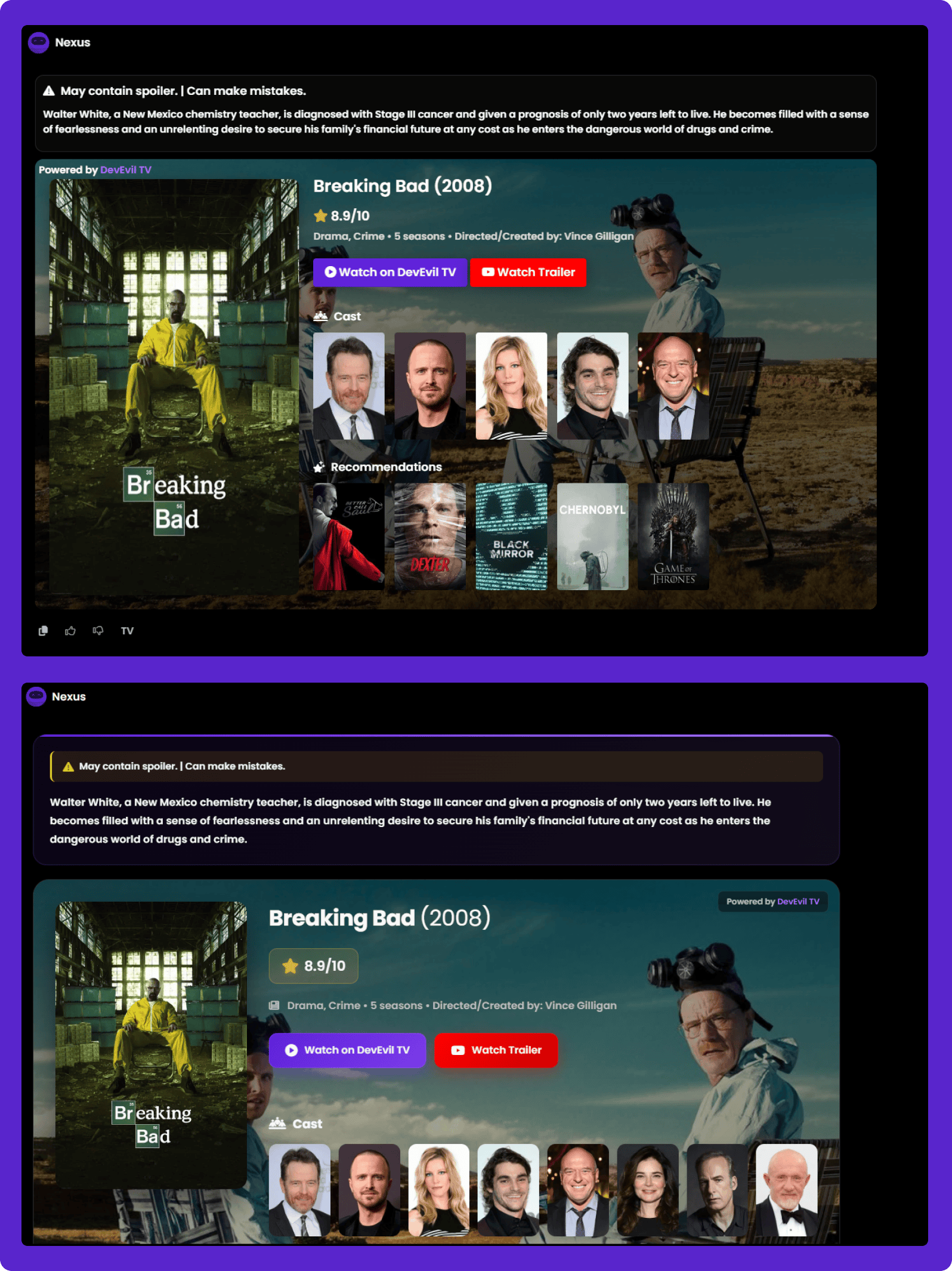
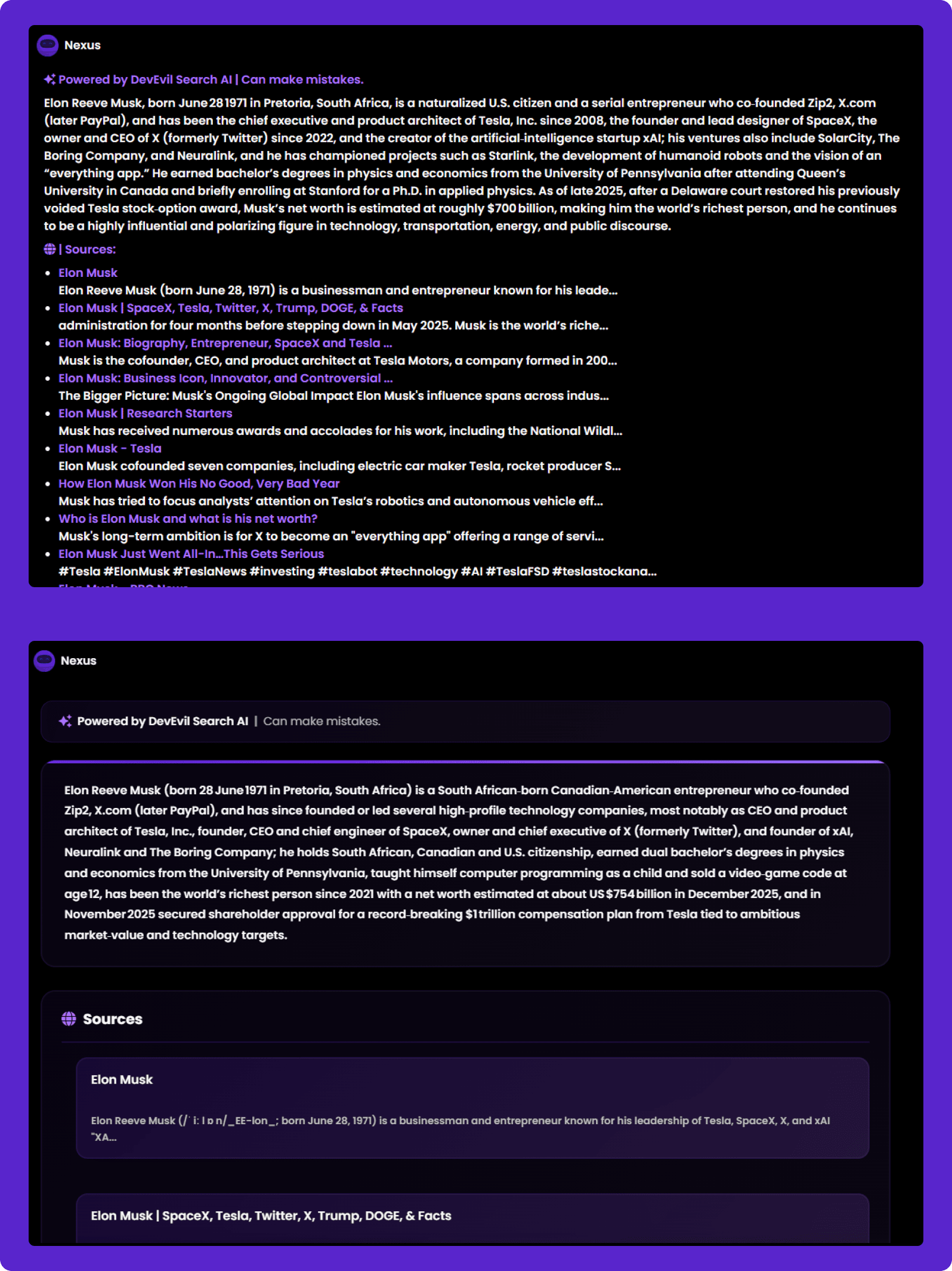
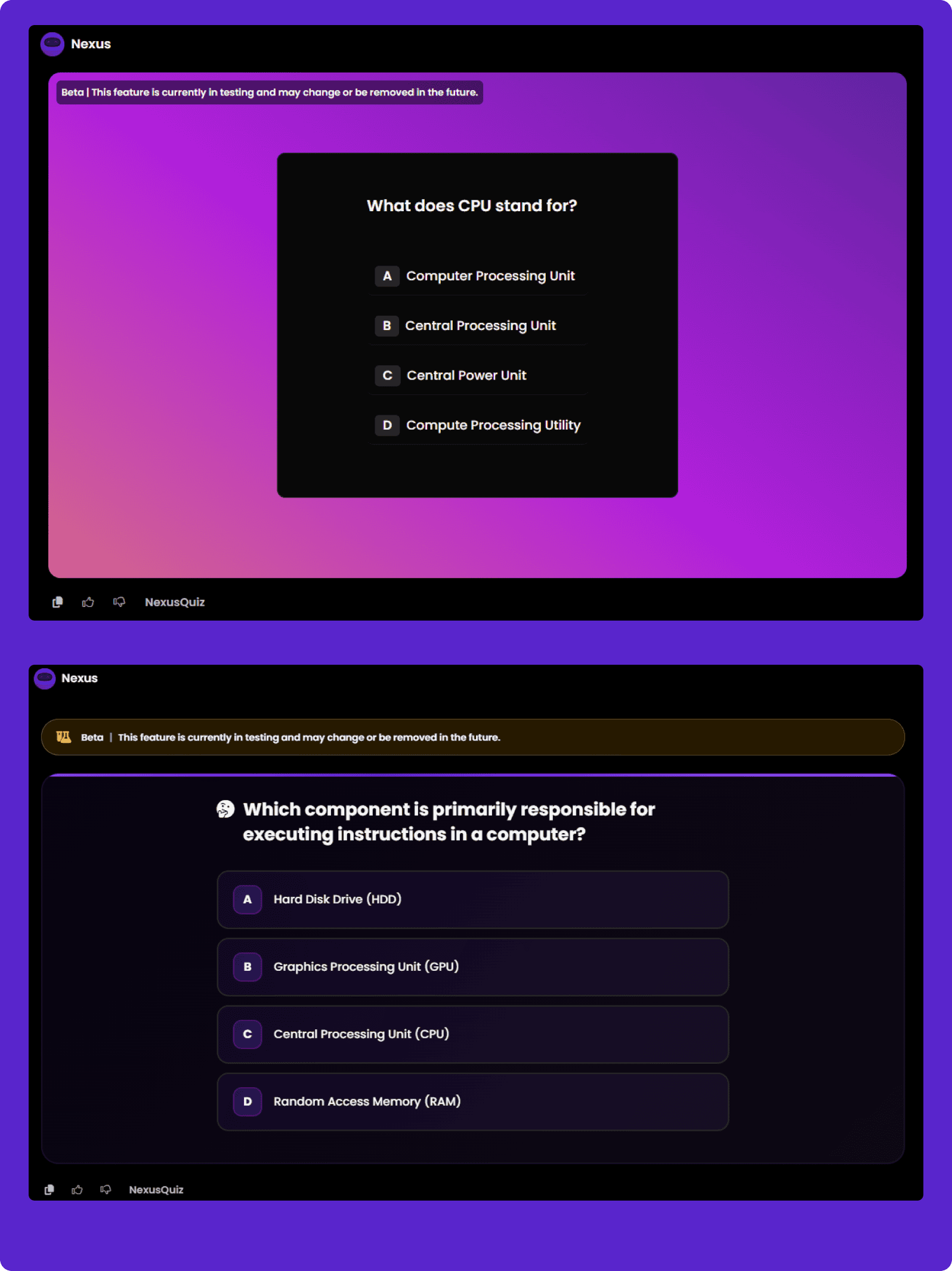
🧩 Redesigned Tool Responses for Better UX
We’ve completely redesigned how responses look for the following tools:
-
TV
-
News
-
NexusQuiz
-
DeepSearch
These tools now feature a cleaner, more readable, and more engaging layout — making it easier to explore information and interact with results.
📸 Before and after images below show the improvement in clarity and usability.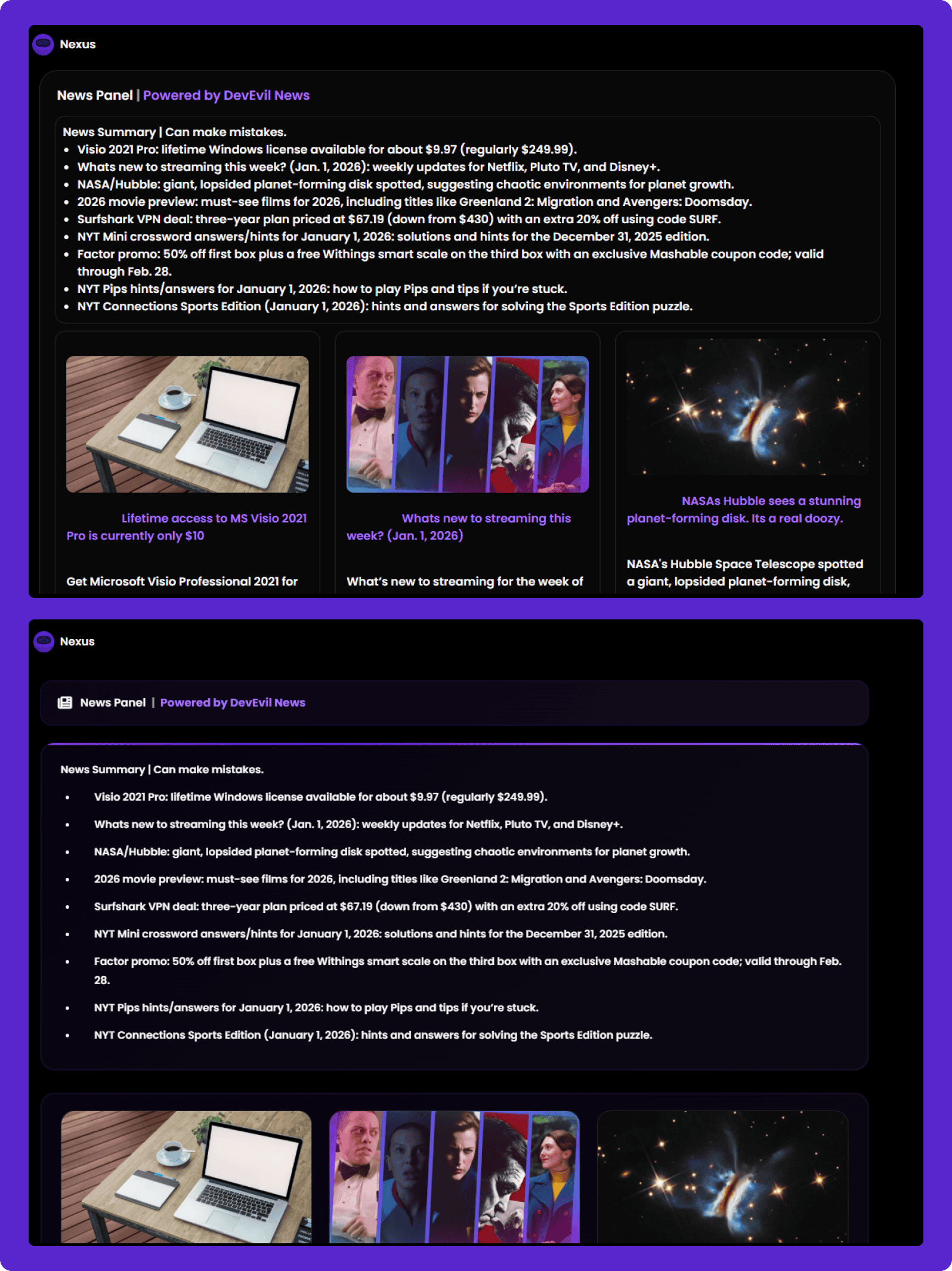
✨ Minor UI Improvements That Make a Big Difference
Alongside major updates, we’ve made several small but meaningful UI tweaks:
-
The sidebar toggle button has been moved from the sidebar header to the footer, next to the profile image
-
The history count has been moved from the sidebar header to sit directly next to the History tab
These changes reduce clutter and improve overall navigation flow.
As always, thank you for using Nexus AI. Your feedback continues to shape the future of the platform — and we can’t wait to show you what’s coming next.